 3MF KATALOG
If you want to use the pre-release with your regular catalog, you can find it in the download section on the home page under "Pre-release".
Test the next version before everyone else.
Before a new version comes out, testers check it on real computers. An assistant guides you through everything step by step. You don't need to know anything beforehand.
How it works
- Open the assistant
Download the file and open it with a double-click. It downloads the right installer and the test data for you.
- Test step by step
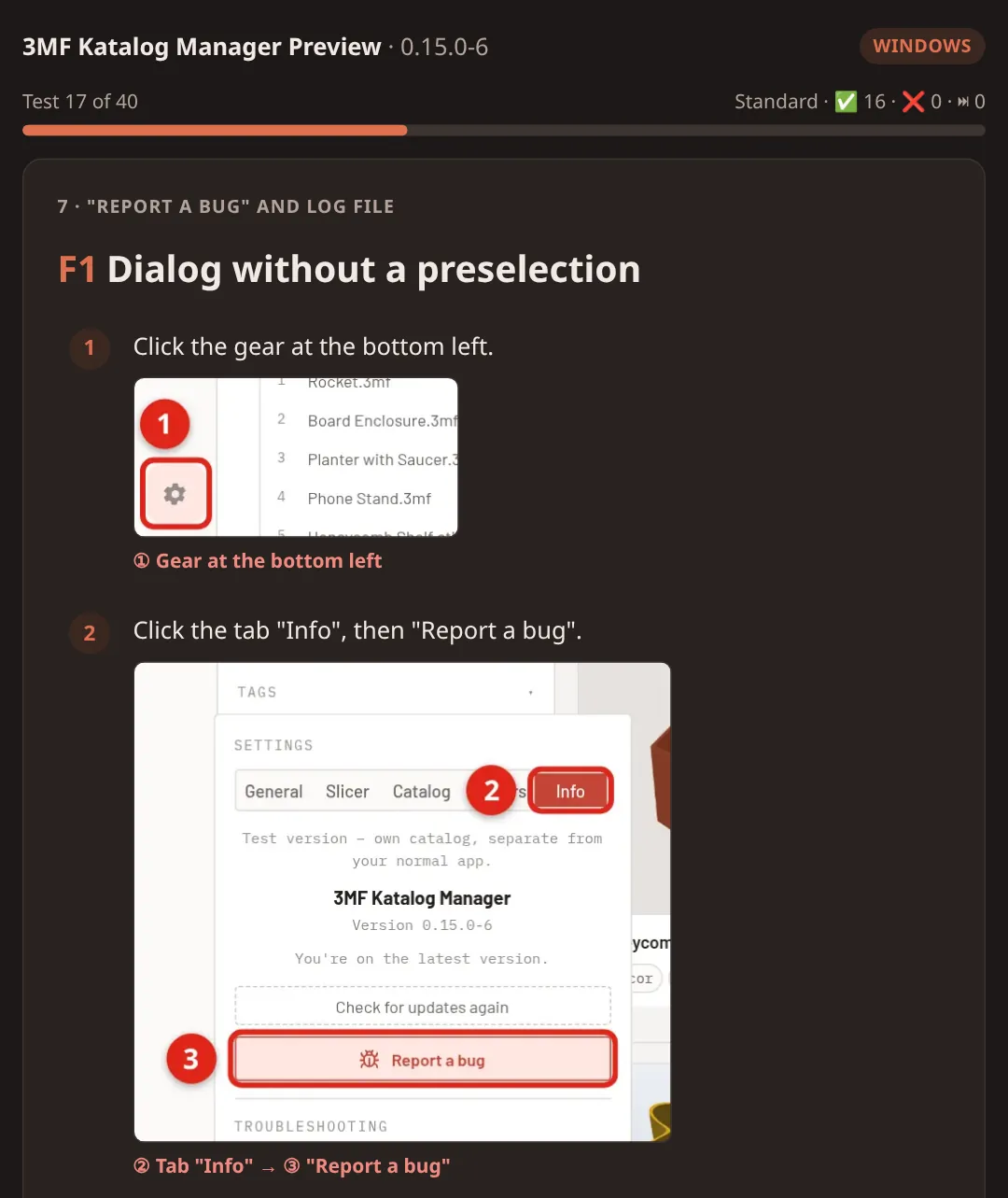
One test per screen, with pictures showing where to click. You just say: works, doesn't work or skip.
- Send the result
At the end you save a small text file and send it to us. We reply and look at every problem.
New in this test version
Good to know
Windows or macOS warn at the first start
The app isn't signed. On Windows choose "More info" → "Run anyway", on macOS "Open Anyway" in System Settings. The assistant shows you exactly how.
Does the test change my normal app?
No. The test version is called "3MF Katalog Manager Preview", has its own catalog and is easy to uninstall afterwards.
What happens with my result?
It goes by e-mail to testing@3mfkatalog.de and is only used to improve the app. It contains your answers and optional details about your device.
Questions or problems?
Write to testing@3mfkatalog.de or get in touch on Discord.
There is no test version right now.
The current version of 3MF Katalog Manager is on the home page: go to download. If you still have a test version (“3MF Katalog Manager Preview”) installed, you can uninstall it – its catalog only held test data.
The next test version is sure to come. The home page shows a notice as soon as there is something to test again. Until then, the printer test helps us with your printer.