All your 3MF, STL, OBJ and STEP files in one place: with 3D preview, automatic hashtags, a filament inventory and one click straight into your slicer.
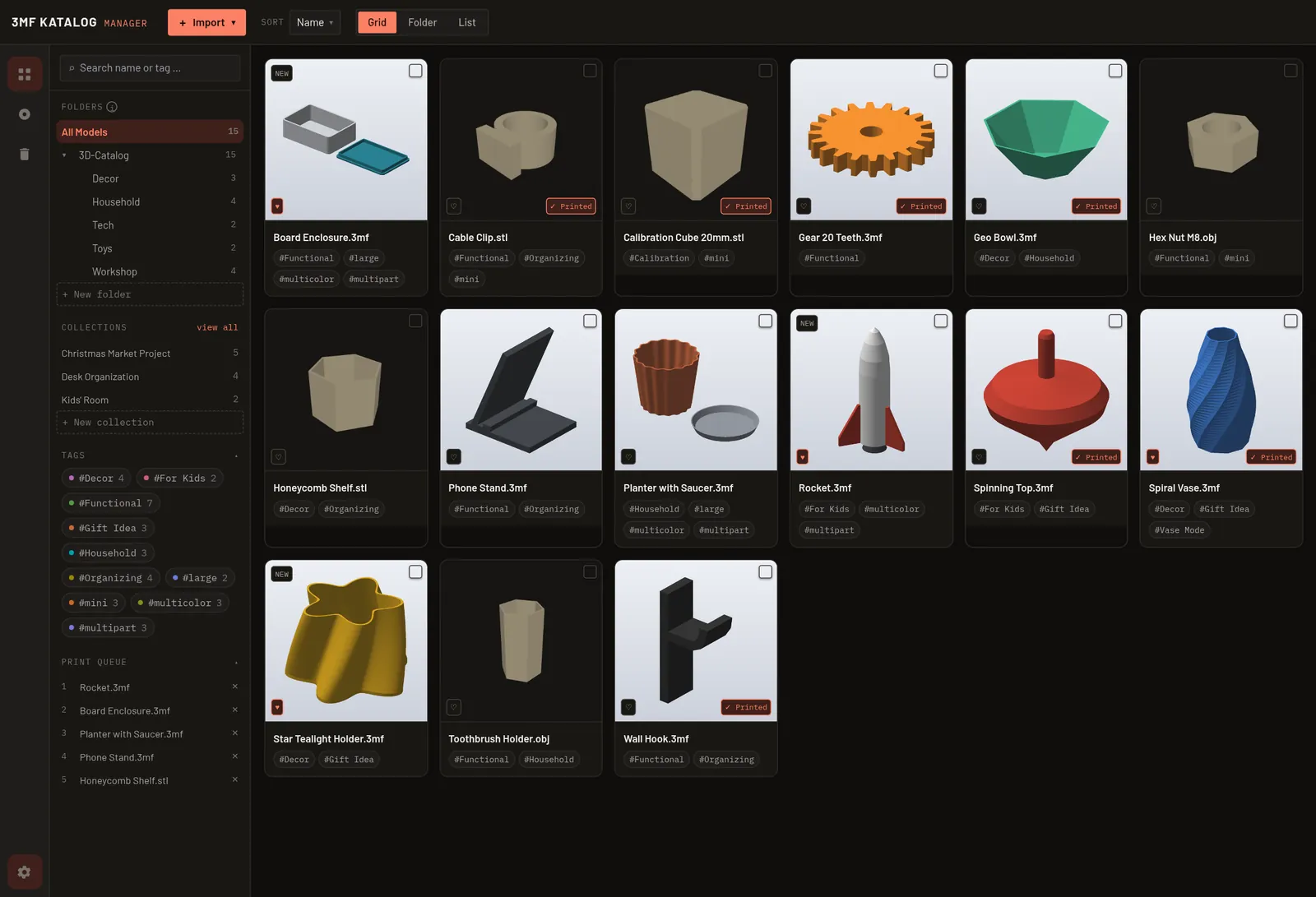
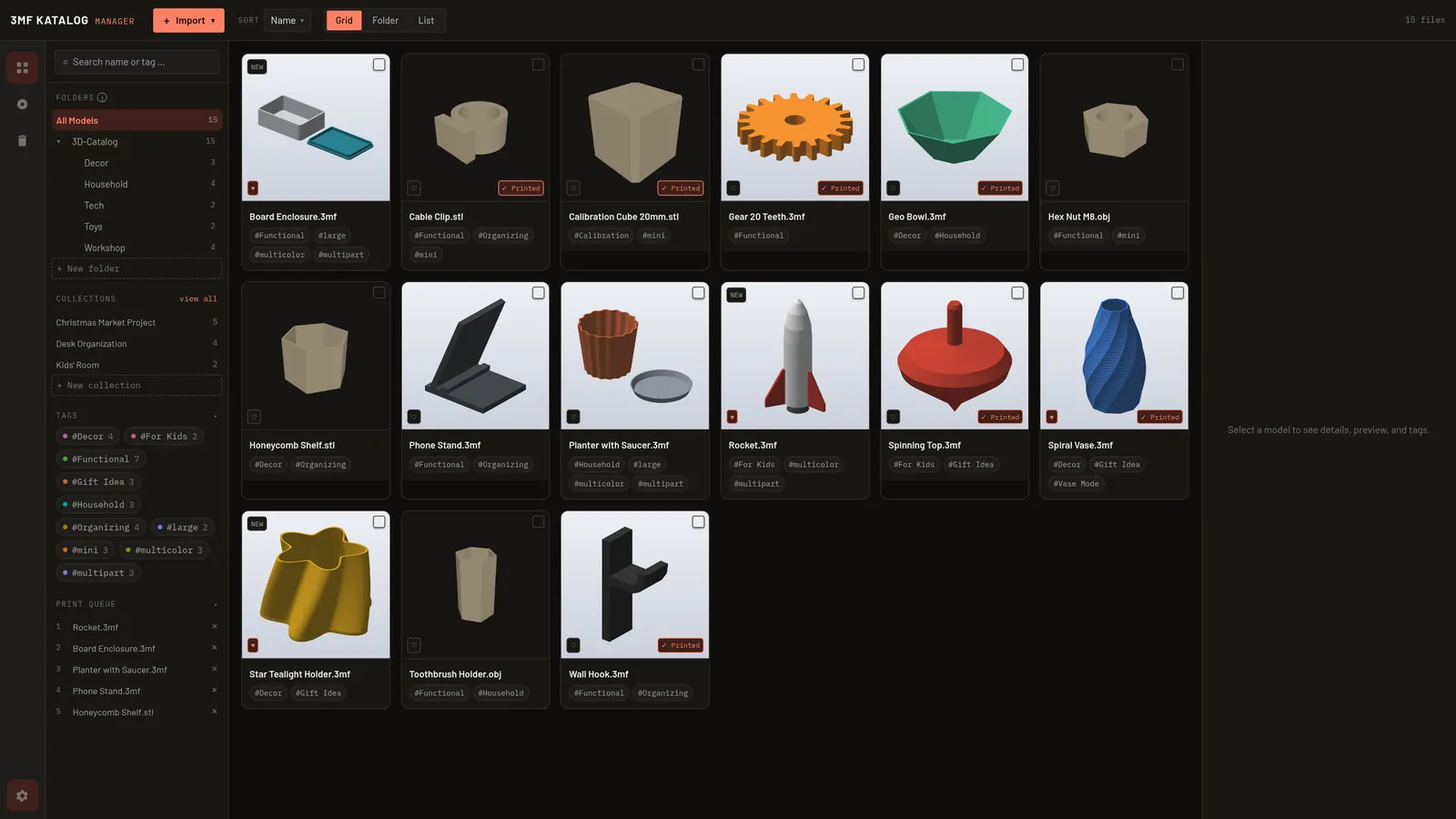
Type something or click a hashtag. That's how fast you find the right model in your catalog, even among thousands.
Just drag a folder in. The catalog reads every file, creates preview images and sorts everything for you.
Dimensions, volume, object count, material and build plates, read straight from the file.
Matching tags are created from the file name, geometry and slicer profile. Of course you can change them at any time.
Rotate, zoom, inspect. For STL, OBJ and STEP too.
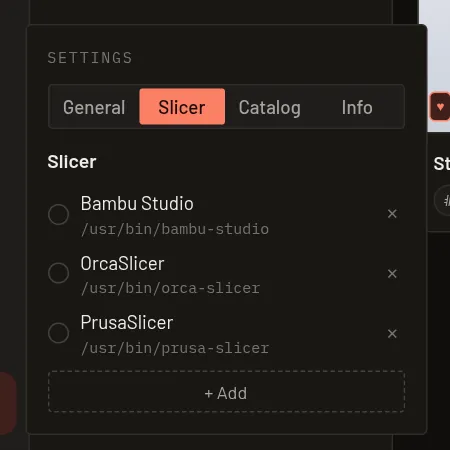
The app finds installed slicers automatically. You can add as many other slicers as you like, from any vendor.
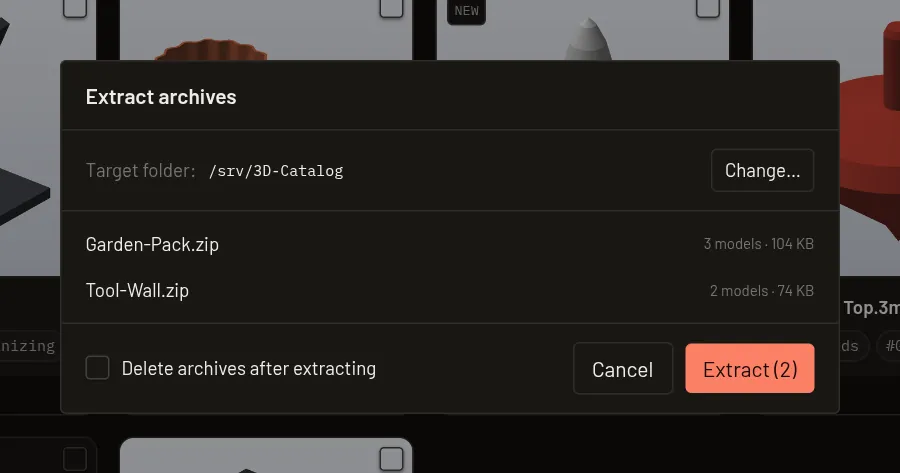
Just drag in ZIP, 7z, RAR or TAR. The catalog extracts them and adds the models right away, without overwriting anything.
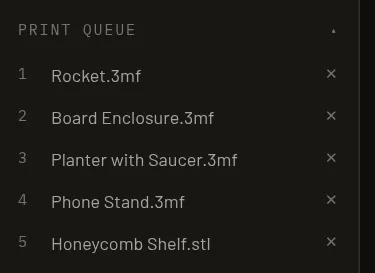
What are you printing next? Queue up models, sort them by drag & drop, and once something is printed it disappears automatically.
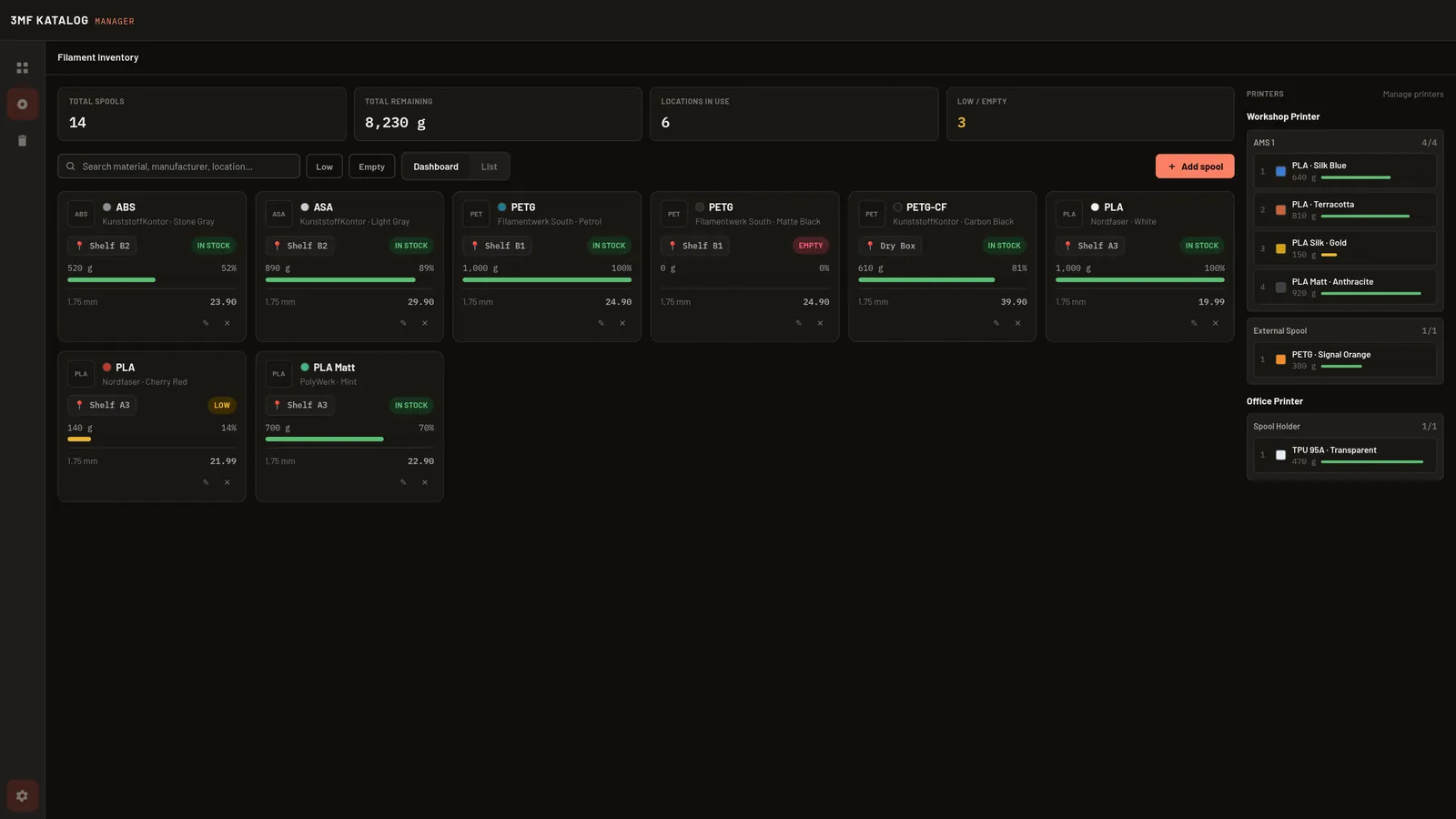
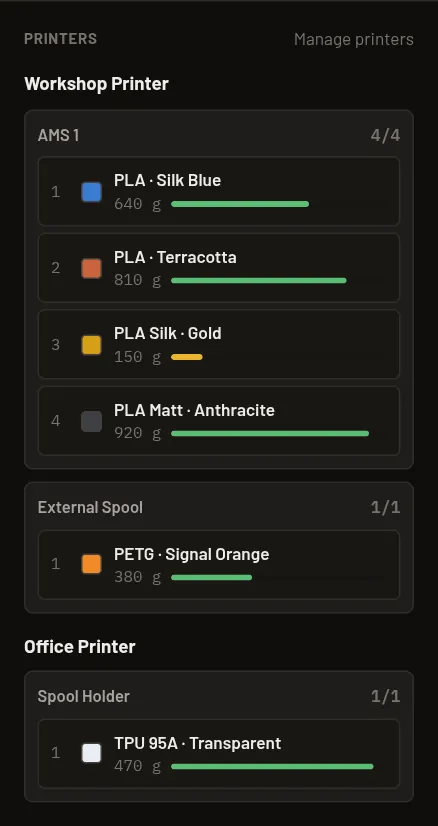
The catalog does. Manage your spools, load them into your printers' slots and see at a glance what's running low.
Free, no subscription and no ads. The source code is open on GitHub (MIT License).
Your catalog and files stay on your computer. No account and no cloud needed.
Runs on Linux, Windows and macOS. Every new version is available to everyone right away.
Current version v0.12.1. Pick your system and get started.
Smaller variant for 3MF, STL and OBJ. STEP files can still be cataloged, just without 3D preview.
Get help here, be the first to hear about new versions and have a say in what gets built next.
Planned features. Your ideas are welcome on Discord in #feature-requests.
Automatically pick up AMS slot assignments and remaining amounts, e.g. from Bambu Lab.
After printing, the filament used is subtracted from the spool directly.
Compares what a model needs with the spools you have.
Which spool was in which AMS slot, and when.
No. The 3MF Katalog Manager is completely free and open source under the MIT License. There's no subscription and no ads.
The installers aren't digitally signed, because the certificates for that cost a lot of money. So Windows shows a SmartScreen warning and macOS a Gatekeeper message. On Windows, click “More info” and then “Run anyway”. On macOS, right-click the app and choose “Open”. If you want to be sure, verify the file with the SHA256 checksums.
If you only use 3MF, STL or OBJ files, the smaller variant without STEP preview is enough. If you also want to view CAD files (.step/.stp), take the variant with STEP preview. Otherwise both are identical.
No. The catalog only remembers where your files are and stores its data locally on your computer. Nothing is uploaded to a cloud.
Bambu Studio, OrcaSlicer, PrusaSlicer, SuperSlicer and UltiMaker Cura are detected automatically. You can add any other slicer yourself. The app reads the real filament usage from files sliced in Bambu Studio or OrcaSlicer.

Download for free, drag in a folder, done.